
About LintelDesk.
LintelDesk is an independently built Windows application made around one idea: useful productivity software should be fast, honest about what it is, and work with your files directly on your own computer. This page explains who makes it, how it is sold, and exactly what you are getting, including the parts that are not for everyone.
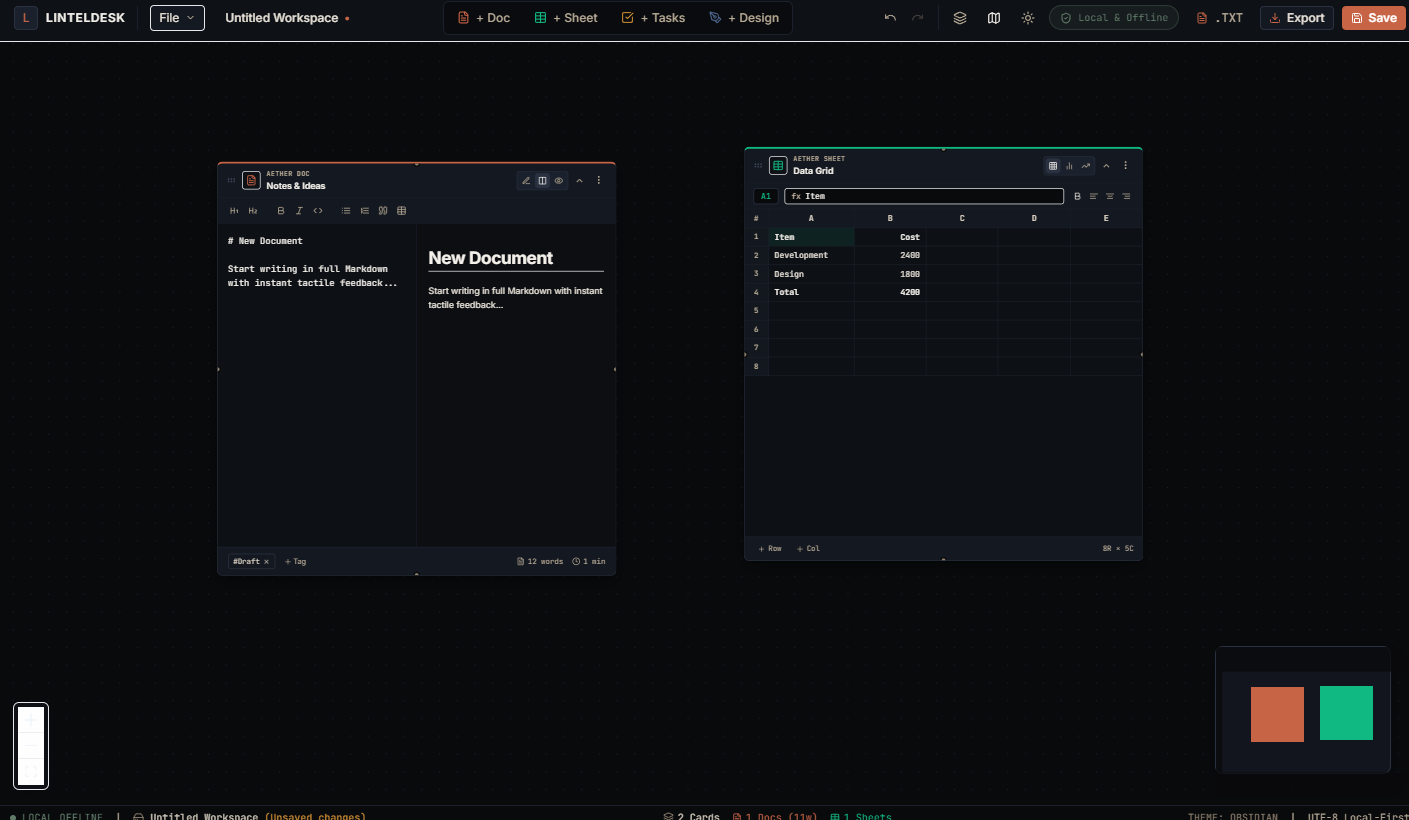
LintelDesk at a glance
The key facts in one place.
| Product | LintelDesk, an offline desktop workstation with Docs, Sheets, Tasks, and Canvas |
|---|---|
| Version | 1.0.0 |
| Platform | Windows 10 and 11, 64-bit. No macOS, Linux, or mobile version. |
| Price | $49 USD, one time. No subscription. |
| Account needed | No. No sign-in, no license keys, no online activation. |
| Internet needed | Only to purchase and download. |
| Data collection | None. No usage analytics or document content is sent anywhere. |
| Developer | Independent developer (not a registered company) |
| Support | [email protected] |
| Public profiles | GitHub z881k |
Why LintelDesk exists
LintelDesk started as an independent software project, not as a large company or a corporate product.
Built independently
One developer builds and supports LintelDesk. There is no large organization behind it, and it does not claim to be a major software company.
Your computer comes first
It is designed around local Windows software and local files, not around a cloud account.
Simple pricing
One payment of $49 instead of a monthly subscription for the product described on this site.
The problem LintelDesk tries to solve
Most modern productivity tools are cloud-first: a document editor, a spreadsheet, a task board, and a diagramming tool, each a separate subscription, each needing an internet connection, each storing your data on someone else's server.
LintelDesk combines four of those functions (Docs, Sheets, Tasks, and Canvas) in one native Windows program that runs on your machine, keeps files in open formats on your own hard drive, and is paid for once. It will not fit every workflow. Teams that need real-time multi-user collaboration or mobile access are better served by a cloud suite. LintelDesk is for people who work mainly on one Windows PC and want their files to stay there.
How LintelDesk handles your data
What the application does and does not do with your files.
Local files only
Workspaces are saved to your hard drive in the .linteldesk format, with open formats such as .md, .csv, .json, and .png for documents and exports.
No account required
You never create an account or sign in to open and edit files. The internet is used only at purchase and download, not during day-to-day use.
No usage tracking
The application does not send usage analytics or document content to any server. Details are in the Privacy Policy.
You own your backups
Files live only on your machine, so there is no cloud backup. Include your workspace folder in the backup routine you already use.
Why sales are final
LintelDesk does not offer refunds, and the reason is technical rather than a way to avoid responsibility. Here is the reasoning in full.
LintelDesk is a one-time purchase with no license keys, no accounts, and no online activation. The installer is a complete, working copy of the software that runs fully offline. Once a customer has downloaded it, they keep a working copy permanently. There is no server that can switch it off, and no key I can cancel.
That means a refund could not take the software back. A buyer would receive their money and still own a fully working program. Because of that, I mark all sales as final instead of offering a refund process that cannot actually reverse the purchase. That is the only reason, and it is not an attempt to avoid refunds or to make problems hard to raise.
If something is wrong, you are not left on your own. If the installer will not run, the software does not behave as described, or you were charged in error, email [email protected] with your order details. Support is handled by the developer directly, and I will work with you to resolve it. To help you decide before buying, this page lists the system requirements and what LintelDesk is not. See the Terms of Service for the full wording.
What LintelDesk is not
A clear description is more useful than pretending to be something it isn't.
Not a large software company
It is not presented as a corporation, enterprise vendor, or team of hundreds. It is an independently developed product.
No fake customers or endorsements
LintelDesk does not use made-up customer counts, fake testimonials, or invented partnerships.
No real-time collaboration
It is single-user, single-machine software with no live multi-person editing.
Windows only, for now
Windows 10 and 11 (64-bit) only. There is no macOS, Linux, or mobile version at this time.
Who LintelDesk is built for
Writers & note-takers
A fast, distraction-free Markdown editor with an outline view, without a browser tab or subscription.
Freelancers & solo operators
Tasks, simple budgets, and project diagrams for your own work, on your own machine, without a team-sized SaaS plan.
Privacy-conscious users
Documents that never touch a third-party server, by design rather than by a settings toggle.
Verify your download
Being open about the installer is part of being trustworthy.
The Windows installer for v1.0.0 is currently not code-signed. Because of this, Windows SmartScreen may show an "unrecognized app" warning when you run it. You can check that your download is the file published here by comparing its SHA-256 hash:
629EFBE41C3288341BAB67BAE7031F9BFC4416102FD9C1BED594A2C19C87B2EB
In PowerShell, run Get-FileHash "path\to\installer.exe" -Algorithm SHA256
and compare the result. A matching hash shows the file is unchanged since it was
published; it does not on its own prove a file is safe, so you are welcome to scan the
installer with your own security software before running it.
System requirements
- Windows 10 or Windows 11, 64-bit
- Approximately 83 MB of free disk space for the installer
- A GPU with DirectX 12 support, for hardware-accelerated Canvas rendering
- No internet connection required after installation
Purchasing and licensing
Payment processing
Checkout runs through Shoppex.io, with card payments processed by Stripe. Select cryptocurrencies are an optional alternative. LintelDesk never sees or stores your card details.
Personal license
One purchase covers installation on up to three personal Windows computers that you own, such as a desktop and a laptop. There is no activation step.
What "lifetime" covers
Free updates within the v1.x release line. See the Terms of Service for the full definition and any future major-version policy.
Sales are final
Read why sales are final above. If anything goes wrong, support will help you resolve it.
Frequently asked questions
Straight answers about the software, and how it's sold.
Is LintelDesk a real, working product?
Yes. LintelDesk v1.0.0 is a working Windows desktop application that you download and install after purchase. It is not vaporware or a pre-order.
Why are sales final and non-refundable?
With no license keys, no accounts, and no online activation, the installer is a complete offline copy. After download the buyer keeps it permanently, and there is no way to revoke it after a refund. If something is wrong, email support and it will be worked out with you. Read the full explanation.
Who created and owns LintelDesk?
My name is Isaac, and I am the creator and owner of LintelDesk. You can find me on GitHub as @z881k.
Is my payment information safe?
Yes. Checkout runs through Shoppex.io, with card payments processed by Stripe. LintelDesk never sees or stores your full card number.
Does LintelDesk collect usage data?
No. The application does not send usage analytics or document content to any server while you work.
Does it work without internet access?
Yes. Once installed it runs fully offline. The internet is only needed to purchase and download it.
What happens to my files if I stop using LintelDesk?
They stay on your hard drive in open formats (Markdown, CSV, JSON, PNG). Uninstalling does not delete or lock your documents.
How do I get support?
Email [email protected] with your order details and a description of the issue. The developer answers directly.
Questions or support?
For questions about LintelDesk, your purchase, or the software, contact the project directly.
Product questions, purchase help, technical issues, or anything LintelDesk-related.
Contact LintelDesk